Dye Sublimation Supplies and Support

  • Home
  • Dye Sublimation Ink
    • Sensient ElvaJet
    • Sensient S4 Subli
    • Sensient S4 Fluorescent
    • Sensient Vibra Brite
  • Eco Solvent Ink
  • Transfer Paper
  • Cut Sheet Paper
  • Barbieri Spectrophotometer
  • ICC Profiles
  • Technical Tips
  • Printers
    • Mimaki JV33
    • Mimaki JV5
    • Mutoh Printers
    • Used JV4 Printers for Sale
    • Refurbished JV5 Printers
  • Ink Chip Bypass System
  • Printing Services
  • Printer Maintenance
  • Contact
  • Remote Support
  • Online Store

Digital Dye Sublimation RGB versus CMYK
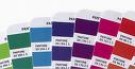
PANTONE Color Book
This summarizes workflow considerations for digital dye sublimation:
  • RGB - in most cases it is best to follow the recommendation of the International Color Consortium (ICC) and use the RGB color mode in Illustrator and Photoshop. Let the RIP convert from RGB to CMYK. See the ICC white paper on workflow management for more details. We have found that the sRGB profile that is standard in the Adobe workflow works quite well, but you may want to consider updating the standard sRGB profile with its ICC replacement.
  • CMYK - If you want to design in CMYK, you should modify the CMYK profile in the Adobe workflow. The standard CMYK profile in Adobe is U.S. Web Coated (SWOP) v2, a CMYK working space profile based on the U.S. standard for publication printing presses, governed by the Specifications for Web Offset Publications (SWOP). This standard was developed in 1972 for publications such as magazines and catalogs printed on offset presses and does not work well for digital dye sublimation printing.


Return to Technical Tips

Return to Technical Tips

CIE